A question becomes a plan. A plan becomes a first version. Nucleus and NOAH give that work a place to happen—with your context, your tools and you in control.
Two ways to start. A workspace that feels like yours.
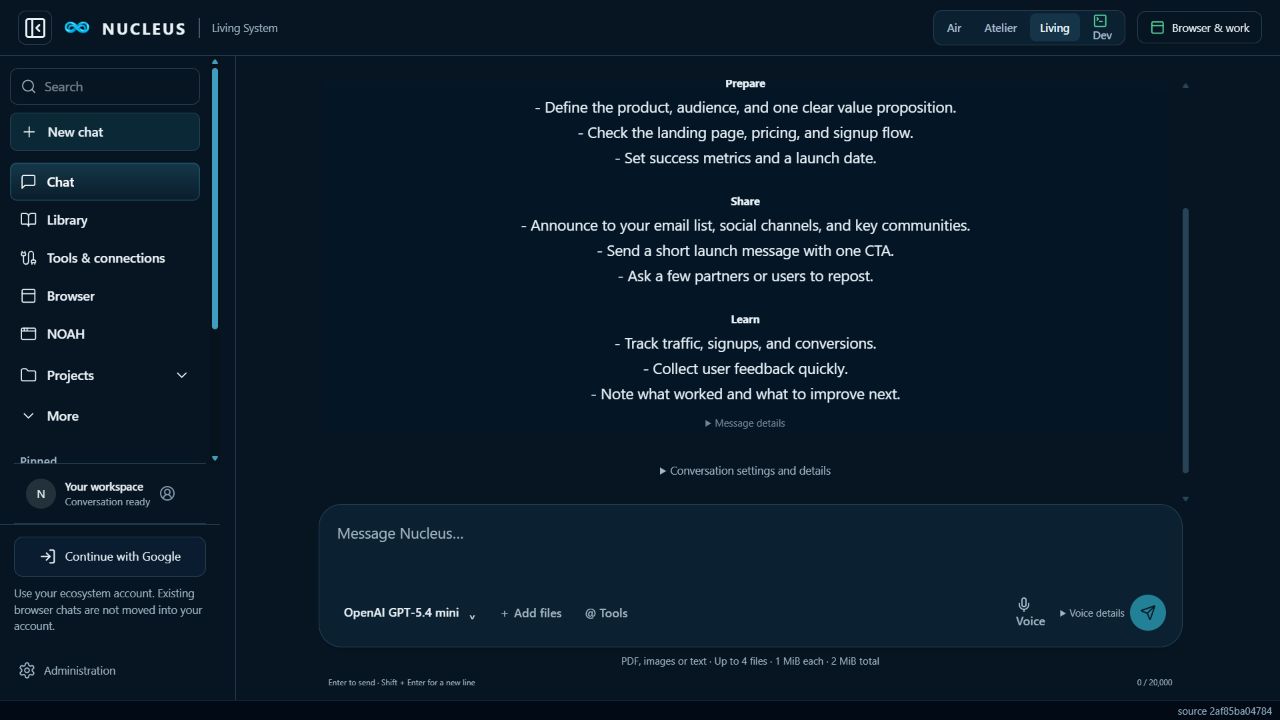
Nucleus / Living — current web consoleActual screen capture. Demonstration conversation shown.Open Nucleus ↗
Living brings a deep blue workspace and a spacious conversation into view.
These are recorded console screens. Your Appearance choice follows when you open a workspace.
Nucleus
A place to understand what comes next.
Ask a question, read a document, compare ideas or keep a conversation moving. Add PDF, image and text files to give your answer context. Keep the browser and your working draft within reach.
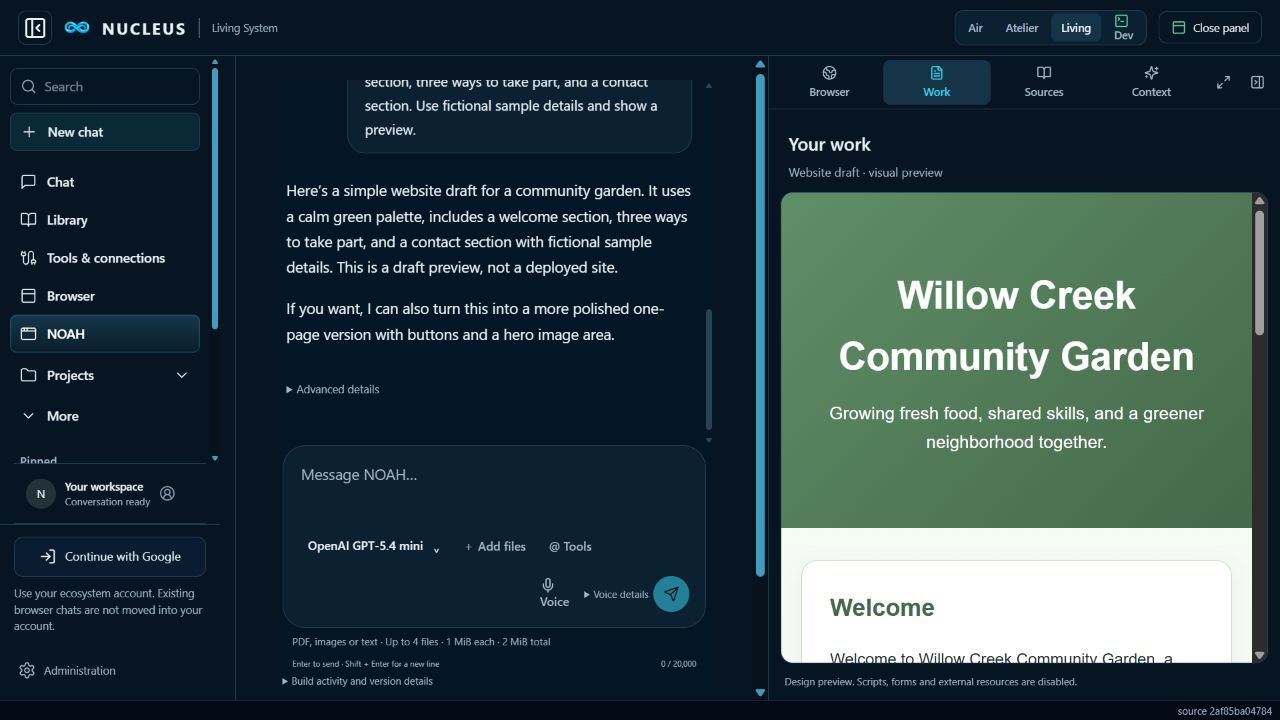
Describe what you want to make. Work through the plan, generate code, inspect a draft and ask for a better version. NOAH helps you develop the idea in the conversation; local execution and publishing require their own connected services.
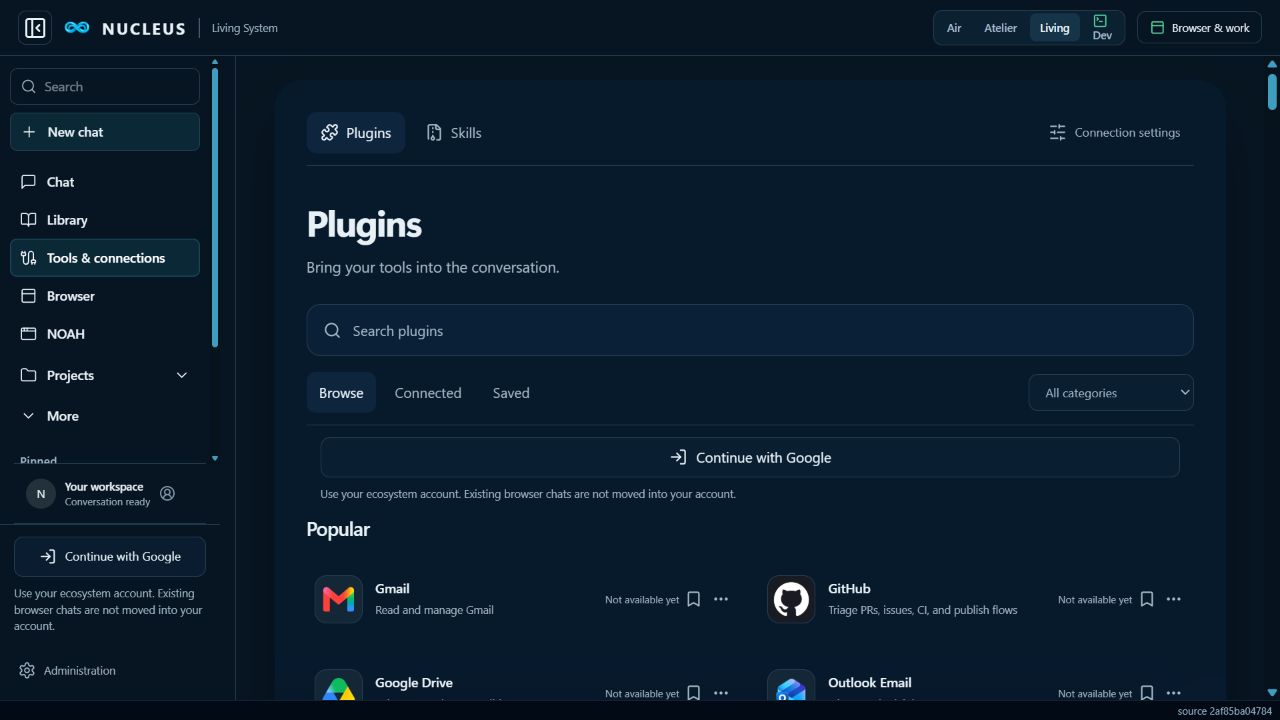
Open the shared plugin library, find a tool and connect it to your account. Once authorized, supported connections are available from the tools control in your chat.
Find your tool.Browse and search before you connect.
Choose what to allow.Sign in to the ecosystem, then authorize the provider.
Use it with context.Select the connection in chat and review supported actions.
The shared library in Nucleus. Availability is shown for each provider.
From an idea to something you can see.
This is the connection between the products: understand the work in Nucleus, develop a first version with NOAH, then review what you have before taking the next step.
Aurelian Ridge project review ↗ A fictional architectural concept with the actual website, six project files and a silent 24-second film.
See how it comes together.
1 min 12 sec · With Donnie Burton
Watch the full introduction or choose a chapter. Captions are available in the player.
Read the transcript
Find your way into the ecosystem Internet of Intelligence is the home for our ecosystem. Start with Nucleus when you need to work through a question. Open NOAH when you want to shape a result. The site helps you choose where to begin.
See the work The connection starts with useful work: a conversation, the material behind it, and a result you can inspect. In this example, a community garden request becomes a preview, then changes through a second instruction in the same thread.
Shared identity, separate permissions Our next step is a shared ecosystem account, with clear permissions for each product. The goal is to make projects easier to find and manage across the network, while keeping access to private work under your control.
The role of a proof record We are also developing the role of blockchain proof records: receipts for actions, with private files kept separately. That work still needs verification. Explore Internet of Intelligence, try Nucleus and NOAH, and see what the products can do today.
Describe the outcome. Add a document, image or web address. Keep the useful details beside the conversation.
2
Make a draft
Ask NOAH for a page, a plan or code. See a website draft in the work panel while the conversation stays in view.
3
Review and improve
Check the result, ask for changes and decide what is ready. A preview is a draft; publishing is a separate step.
A real first version. NOAH generated this community garden page from a plain-language brief. The sample details are fictional; the interface and draft are real.
Useful from the first question.
Available now in the hosted consoles.
Conversations with context
Work with text, PDFs and images. Reattach originals when you want to inspect them again; conversation history is separate from a file archive.
Your account, your conversations
Google sign-in is available for your ecosystem account. Each site starts its own secure session. Existing browser chats are not moved into your account automatically.
Tools with your permission
Connect Higgsfield through its authorization screen. Connected tools appear in your composer, with approval before supported actions. Other providers are being integrated.
A browser beside your work
Open a website alongside a conversation, add its address as context and preview a working draft. The browser view does not take control of your computer.
A wider world around your work.
Explore the products being built within the Internet of Intelligence.
Generated files are saved with the conversation in your project. Reopen that conversation to view or download its saved files and earlier versions. In development: broader account continuity, project export and recovery across products. A universal project archive is not available yet.
Proofs and the blockchain
AIIP defines how requests are translated, routed, governed and recorded. Local message receipts and public IOBC token activity provide different evidence. Explore the records view to inspect available transaction proofs and their source, while private documents remain under their own access controls.
Saved generated files are drafts; they do not establish that code has been tested or deployed. Connected execution, customer backends, isolated builds and approved deployment remain separate steps. Public computer control, hosted tenant deployment and a public skill marketplace are not active services.
Permission you can understand
A shared account should make access clearer. Each product and tool still needs the appropriate permission. Our design keeps account identity, project access, provider grants and consequential action approval distinct.